Your own exercises
Bring your own routine into Corset
Start with your physio’s sheet, an exercise list or a routine from your AI chat. Bring it into Corset and follow a guided session with movement, timers and cues.
Claude opens a routine link directly. With ChatGPT or Gemini, copy a message from Corset and paste the answer back. Use the AI account you already have.
Example with Claude
Claude + Corset

Put these exercises in Corset
Corset routine
Lower back sheet
Open in CorsetGuided exercises in Corset
Using Claude
-
Connect Corset to Claude
Use “Add Corset to Claude” above. A connector lets Claude create a routine link that opens in Corset. You can also add it in Claude’s connector settings:
Name Corset · URL https://mcp.corset.app/mcp
-
Share your exercises
Attach your exercise sheet, paste a routine from your chat, or type the exercises, and say:
Put these exercises in Corset
Include the sets, reps and hold times your physio gave you. Ask Claude to flag anything it can’t read rather than fill it in.
-
Open and review your routine
Tap “Open in Corset” on the card. Compare the preview’s exercises, sets, reps and timings with your original sheet before starting.
Corset doesn't check routines. Stop if something hurts sharply.
See the warning signs -
Start a guided session
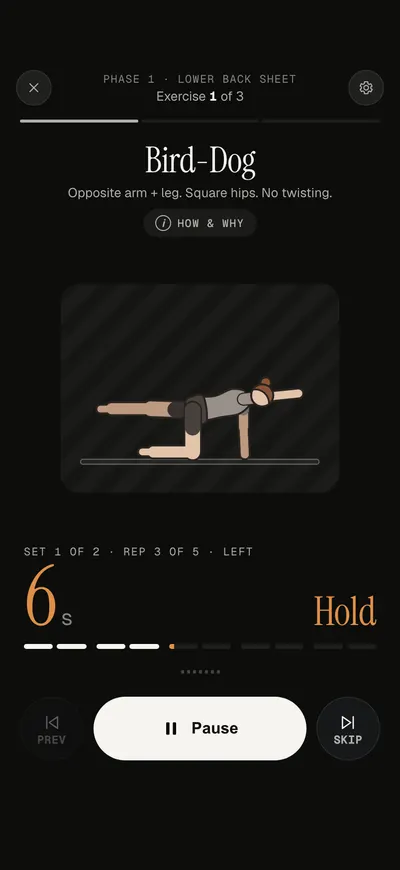
Choose “Try it now” to follow the exercises. Corset handles the timings and guides each movement. To put the routine on your schedule, choose “Add to my routines”.
ChatGPT, Gemini and other assistants
Use another AI app
Corset gives you a message that explains the routine format. Copy it into your AI chat along with your exercises.
Copy the message from Corset
Open Corset, go to Routines → Add your own exercises → Make one with your AI. Choose “ChatGPT, Gemini or other”, then “Copy message”.
Send it with your exercises
Paste the message into your AI chat. Add your exercise sheet or type the exercises, including any sets, reps and timings you've been given.
Paste the answer back
Copy the routine from the AI’s answer. Return to “Add your own exercises” in Corset and choose “Paste”.
Review and start
Check the preview against your original exercises. Choose “Try it now” for a guided session, or “Add to my routines” to put it on your schedule.
Using a library routine? You can start directly in Corset without an AI account.
Open CorsetWhen your routine changes
Update the exercises, keep your history
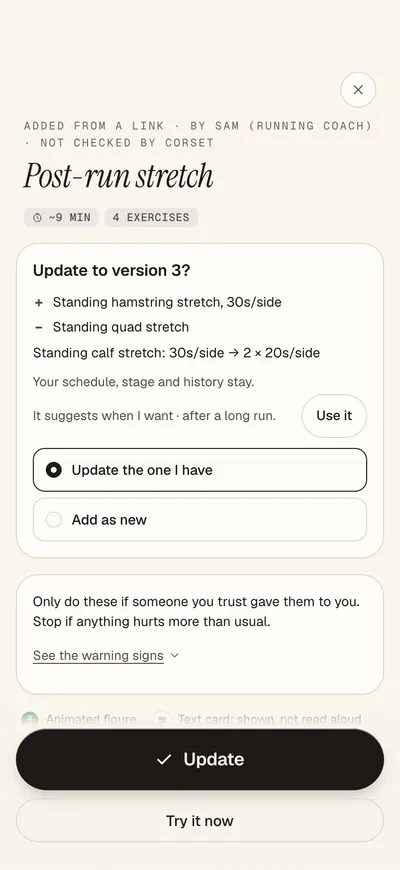
If your physio changes your exercises, open the routine, tap ⋯ and choose “Ask your AI to adjust it”. Share the new instructions with your AI. Open the new link, or paste its answer back into Corset, and review the changes before updating. Your schedule and session history stay with the routine.
What Corset stores
The Claude connector makes the routine link without saving a copy of the routine. Once you add it to Corset, it is saved on your device. You don't need a Corset account.
Privacy policyBefore sharing your sheet
Your photo and chat go to the AI service you choose and are handled under its terms. Cover names and other personal details on the sheet before sharing it.
Check before you start
An AI can misread a sheet or change a number. Compare its routine with the original instructions. Corset checks the file format, not whether the exercises or timings are right for you.
Help with imported routines